

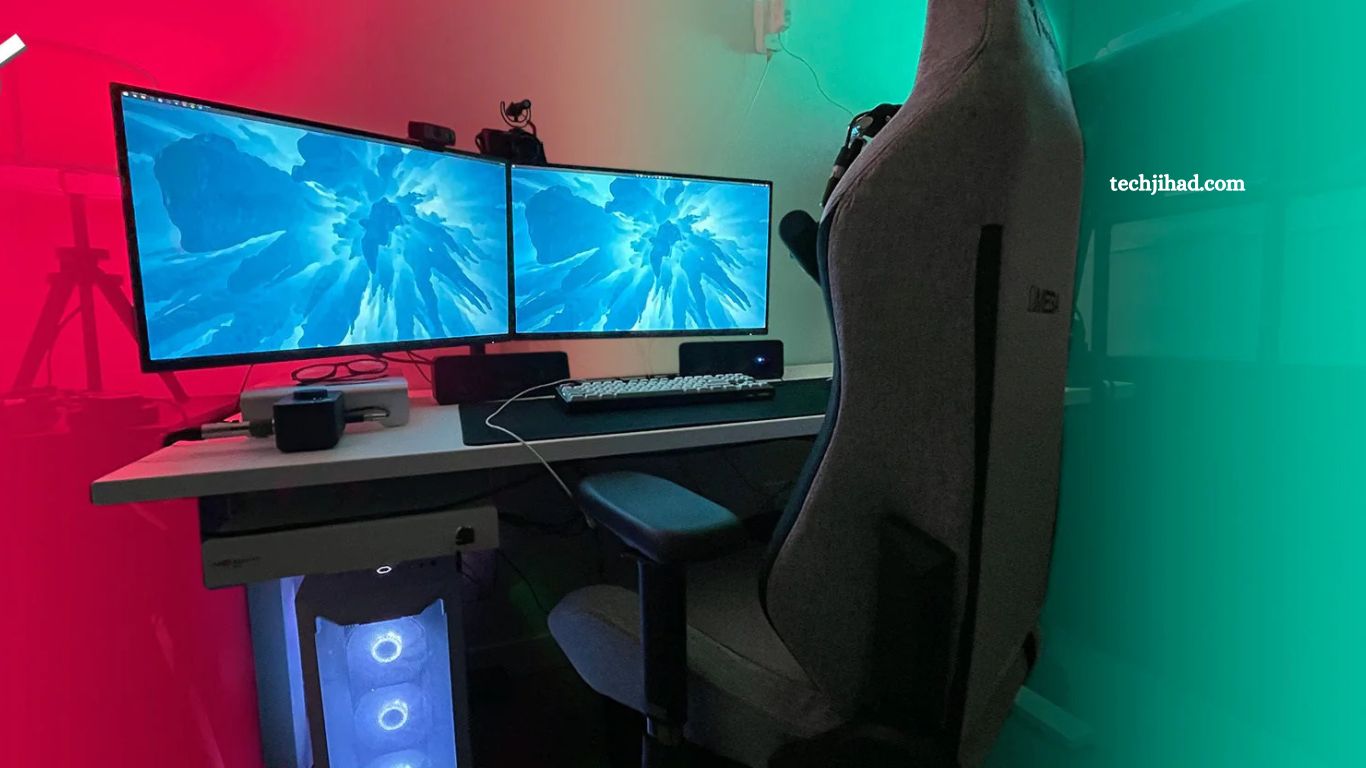
Creating a pro-level gaming setup requires more than powerful hardware. Precision, comfort, speed, and immersion all play critical roles in performance.
This guide delivers a complete breakdown of essential components, smart optimization tips, and pro-level insights to build a setup that enhances skill, reaction time, and endurance.
Read More: Top Gaming Trends Every Gamer Should Know
High-Performance Gaming PC or Console
A strong foundation begins with processing power.
Key Components for PC Gamers:
- CPU: Choose a high clock speed and multi-core performance for smooth gameplay and multitasking.
- GPU: Invest in a top-tier graphics card for high FPS and ultra settings.
- RAM: Minimum 16GB; 32GB recommended for competitive gaming and streaming.
- Storage: SSD over HDD for faster load times and system responsiveness.
Console Players:
- Use the latest-generation consoles for optimized performance and stable frame rates.
High Refresh Rate Monitor
Visual clarity directly impacts reaction time.
What to Look For:
- Refresh Rate: 144Hz minimum; 240Hz or higher preferred for competitive gaming
- Response Time: 1ms for reduced motion blur
- Resolution: 1080p for esports, 1440p or 4K for immersive experience
Pro Tip:
Lower resolution + higher refresh rate often delivers better competitive advantage.
Mechanical Gaming Keyboard
Precision input makes a difference during intense gameplay.
Features:
- Switch Type: Linear (fast), tactile (feedback), clicky (audible)
- Anti-Ghosting: Register multiple key presses simultaneously
- Customization: RGB lighting, programmable macros
High-Accuracy Gaming Mouse
Speed and control define winning moments.
Important Specs:
- DPI Range: Adjustable sensitivity for different games
- Polling Rate: 1000Hz for real-time tracking
- Ergonomics: Comfortable grip for long sessions
Pro Tip:
Consistency matters more than high DPI—find your perfect sensitivity and stick with it.
Large Mousepad or Gaming Surface
A smooth, extended surface ensures accurate movement.
- Choose low-friction materials for speed
- Consider extended mousepads for keyboard + mouse coverage
- Maintain a clean surface to avoid tracking issues
Immersive Audio Setup
Sound awareness provides a competitive edge.
Options:
- Gaming Headset: Built-in mic, surround sound
- Studio Headphones + Mic: Better audio quality, professional setup
Features to Prioritize:
- Noise isolation
- Clear directional audio
- Comfortable ear padding
Ergonomic Gaming Chair and Desk
Comfort enhances focus and reduces fatigue.
Chair Essentials:
- Adjustable height and armrests
- Lumbar support
- Breathable material
Desk Setup:
- Proper height alignment
- Enough space for a multi-monitor setup
- Cable management system
Stable Internet Connection
Lag destroys performance.
Optimization Tips:
- Use a wired Ethernet connection instead of Wi-Fi
- Upgrade to a high-speed internet plan
- Reduce background downloads during gameplay
Multi-Monitor Setup (Optional but Powerful)
Boost productivity and awareness.
- Main monitor for gameplay
- Secondary monitor for chat, streaming, stats, or guides
Streaming and Content Creation Gear
For gamers building a brand.
Essentials:
- Microphone: Clear voice quality
- Webcam: HD or 4K for professional streams
- Lighting: Ring light or softbox for clean visuals
- Capture Card: Required for console streaming
Proper Lighting Environment
Lighting impacts eye comfort and mood.
- Use ambient LED lighting behind the monitor
- Avoid direct glare on the screen
- Maintain balanced brightness
Cable Management and Clean Setup
A clean desk improves focus.
- Use cable clips, sleeves, or trays
- Keep minimal distractions on the desk
- Organize peripherals for easy access
Cooling and Airflow Optimization
Overheating reduces performance.
- Install proper case fans
- Use liquid cooling for high-end systems
- Keep the room temperature moderate
Software Optimization
Hardware alone is not enough—optimize the system.
Must-Do:
- Update drivers regularly
- Disable unnecessary background apps
- Optimize in-game settings for FPS over visuals
Personalization and Setup Tuning
Every pro setup evolves with player preference.
- Adjust sensitivity, keybinds, and display settings
- Maintain a consistent practice environment
- Track performance and refine setup over time
Frequently Asked Questions
What is the most important part of a gaming setup?
GPU + monitor combination delivers the biggest impact on performance and visual clarity.
Is 16GB RAM enough for pro gaming?
Yes, 16GB works well; 32GB provides smoother multitasking and future-proof performance.
Why does a high refresh rate monitor matter?
Higher refresh rate reduces motion blur, improves reaction speed, and gives a competitive edge.
Wired or wireless internet better for gaming?
Wired connection offers lower latency, more stability, and better overall gameplay.
Do pro gamers use mechanical keyboards?
Yes, mechanical keyboards provide faster response, better durability, and improved accuracy.
Does an expensive setup guarantee better gaming skills?
No, skill depends on practice; setup only enhances performance and consistency.
Conclusion
A powerful gaming setup creates a foundation for peak performance, precision, and long-session comfort. The right combination of hardware, optimized environment, and personalized settings delivers faster response, smoother gameplay, and consistent results. Focus on essential upgrades first, refine details over time, and align setup with playstyle.
