

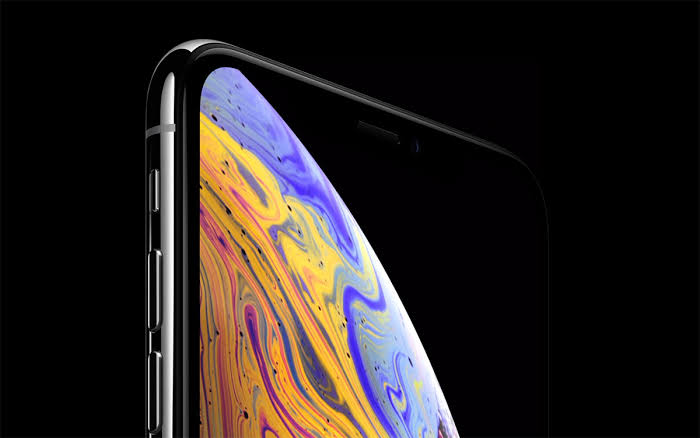
A phone can advertise a 120Hz display and still show an animation that advances far less often. The specification describes the screen’s refresh capability, while the software determines which images reach it. For someone researching a JetX app, that distinction helps separate a hardware feature from a claim about the game. The linked Slot Desi address locates JetX within its instant games section. It does not establish a native app’s frame rate or a requirement for a particular screen. Before treating a new phone as an upgrade for this game, it helps to understand where those extra screen refreshes can make a visible difference.
The screen and the game have separate clocks
At 60Hz, a display refresh cycle lasts about 16.7 milliseconds. At 120Hz, that interval falls to about 8.3 milliseconds. Those figures come from dividing one second by the refresh rate. They describe opportunities to present an image, rather than proof that a game supplies a different image each time. If software produces 60 frames per second on a 120Hz screen, the display can present each frame twice. The screen continues refreshing, but the animation still contains 60 distinct frames per second. Buying more refresh capacity does not fill the unused opportunities with additional detail that the software never rendered in the first place.
The distinction also explains why a refresh indicator is not a complete performance test. A number showing 120Hz can describe the display’s current mode without revealing how many new frames the game produces. Android’s frame pacing documentation explicitly discusses a 120Hz screen updating twice for each frame of a game rendered at 60 frames per second. That example describes a general relationship between rendering and display refresh. It is not a measurement of JetX. Any claim about JetX reaching a particular frame rate would need evidence from the actual version, device, and access method being tested, with the measurement tool identified as well.
Evenly spaced frames matter more than a peak number
A high frame count can hide uneven delivery. When successive images remain on screen for different lengths of time, movement can appear to hesitate, even if an average figure looks respectable. Android describes frame pacing as coordinating a game’s rendering with the display system. For a reader comparing phones, this means watching the consistency of motion rather than chasing the largest number in an overlay. A brief burst at a higher rate does not describe the rest of a session. Equally, a screen refreshing quickly cannot repair every interruption elsewhere in the rendering process. The visible result depends on how the parts work together, not the panel specification alone.
Readability has its own requirements
JetX’s developer, SmartSoft, describes a larger, centered multiplier in its current release. That is a layout feature with a different purpose from increasing refresh rate. Placing a number prominently can help people locate it, while additional rendered frames can make movement appear more continuous. Neither improvement should be assumed to provide the other. Small labels do not become larger when the screen switches to 120Hz. Controls crowded together do not gain space. When assessing the game on a phone, the relevant questions include whether labels remain readable at a comfortable viewing distance and whether controls are clearly distinguishable. Those observations can be made without assigning the game an unverified performance figure.
Compare settings without changing everything else
Android can choose a display mode based on several conditions, and an application’s requested frame rate is not guaranteed. Battery saver can restrict the available refresh rate. A comparison therefore needs more care than switching one display option and judging the next few seconds from memory. Keep the same phone, software, and viewing conditions, then change one setting at a time. Use a demo where one is available, since evaluating animation does not require a paid wager. The purpose is to assess visual comfort on that device, rather than interpret a display setting as evidence about the game’s financial results or the processing of an action.
- Record the selected display mode before each comparison.
- Note whether battery saver is enabled.
- Keep brightness and viewing distance consistent.
- Compare the same moving elements and text labels.
- Distinguish a refresh rate indicator from a measured game frame rate.
Buy refresh capacity for a visible benefit
A 120Hz panel gives compatible software more opportunities to show new images. Whether JetX uses those opportunities remains a question for measurement on the particular phone and game version. That is the useful stopping point for a buying decision. If the game looks equally clear and consistent in two display modes, the higher specification alone supplies no demonstrated improvement for that setup. If motion visibly improves, that benefit belongs to presentation. It does not establish different rules, altered payouts, or a guaranteed response time. Choose the setting that produces a comfortable, consistent picture, and require an actual frame rate test before accepting a specific performance claim.
